
Getting started
Get started on Arty — sign up by role
From registering as a designer to joining a shop and becoming a shop admin. Just follow the screens — it only takes a few minutes.
Register as a designer
Sign up as a designer on Arty. Only designers working in South Korea can register.
- 1STEP 1
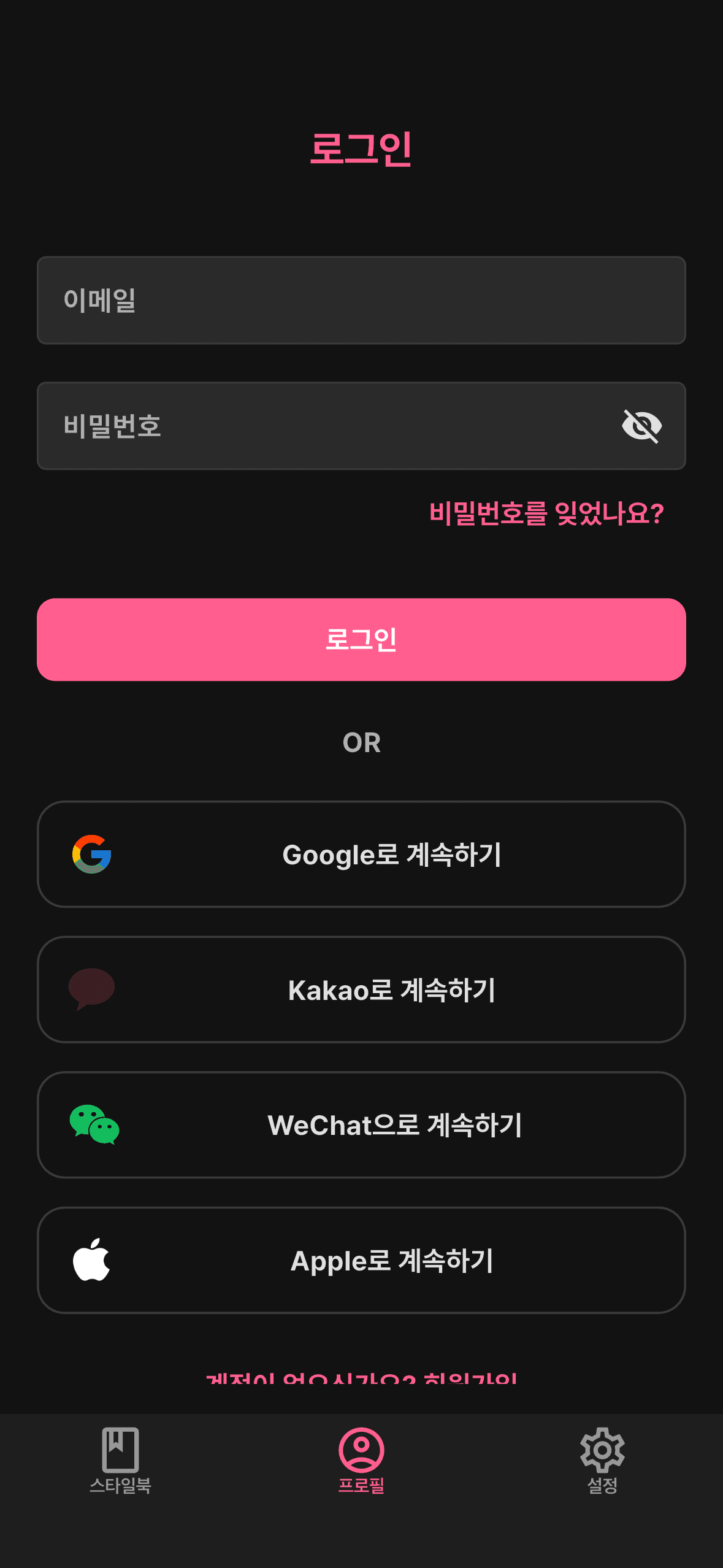
Install & sign in
Install the app and sign in with Google, Apple, Kakao, or email.
- 2STEP 2
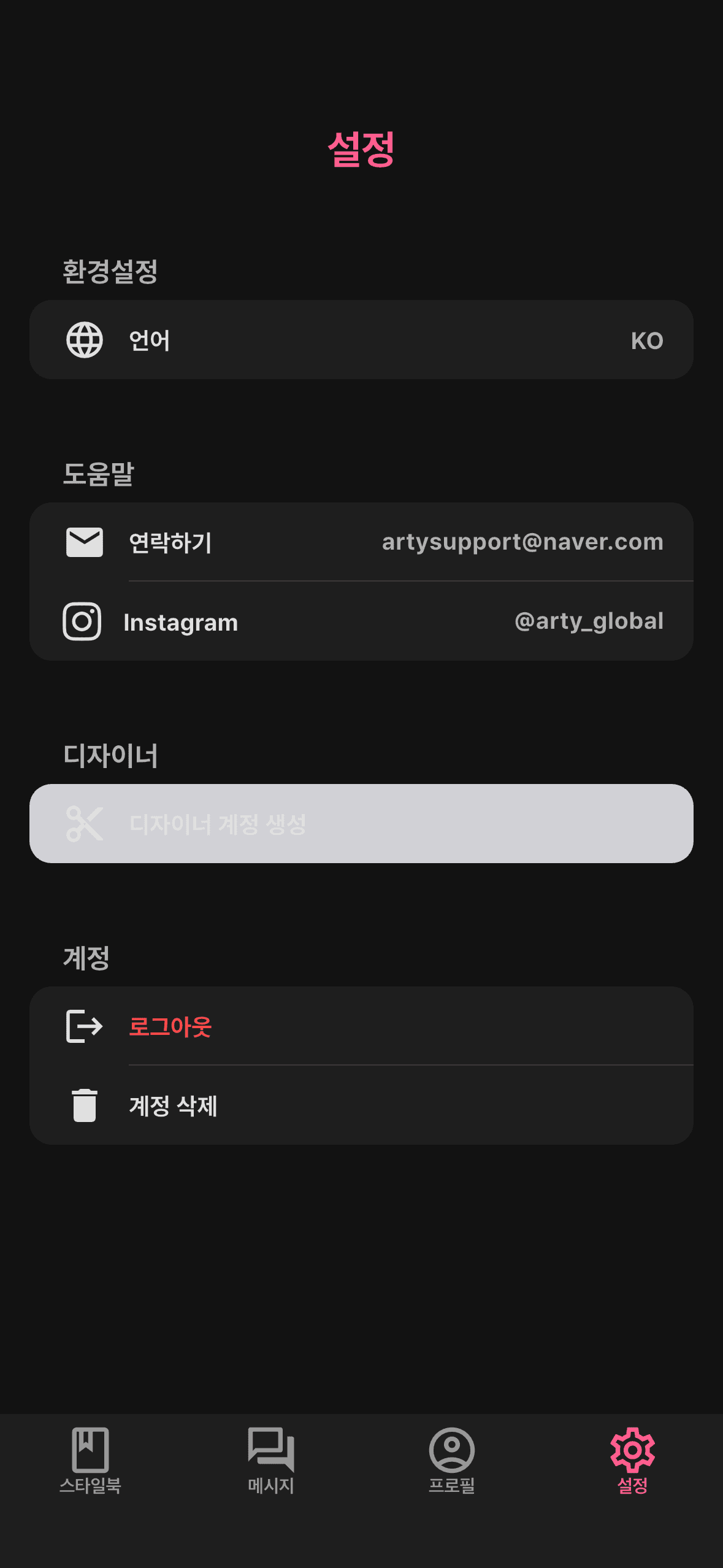
Create a designer account
Go to Settings and tap ‘Create a designer account’ to begin.
- 3STEP 3
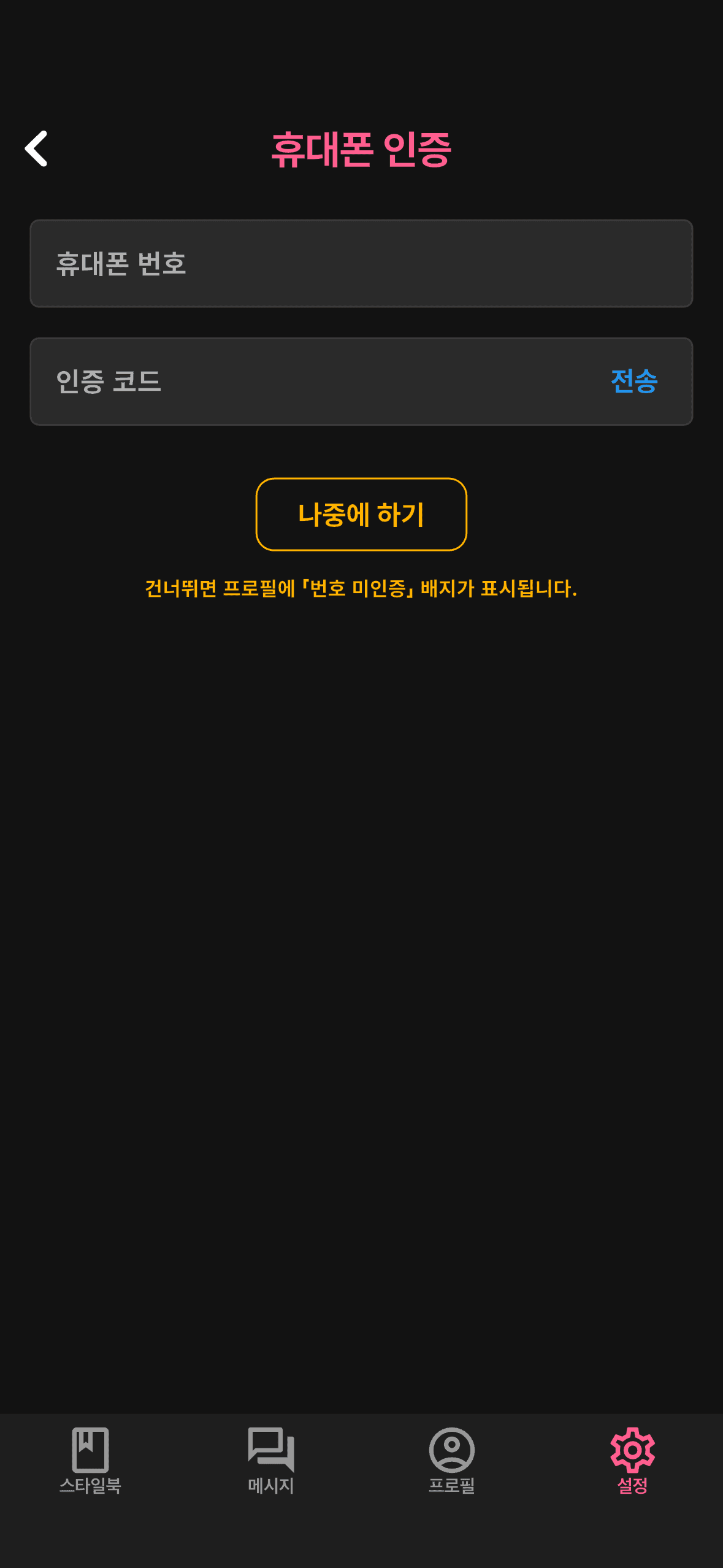
Verify your phone
Verify your phone number to confirm it's you — you can also do this later.
- 4STEP 4
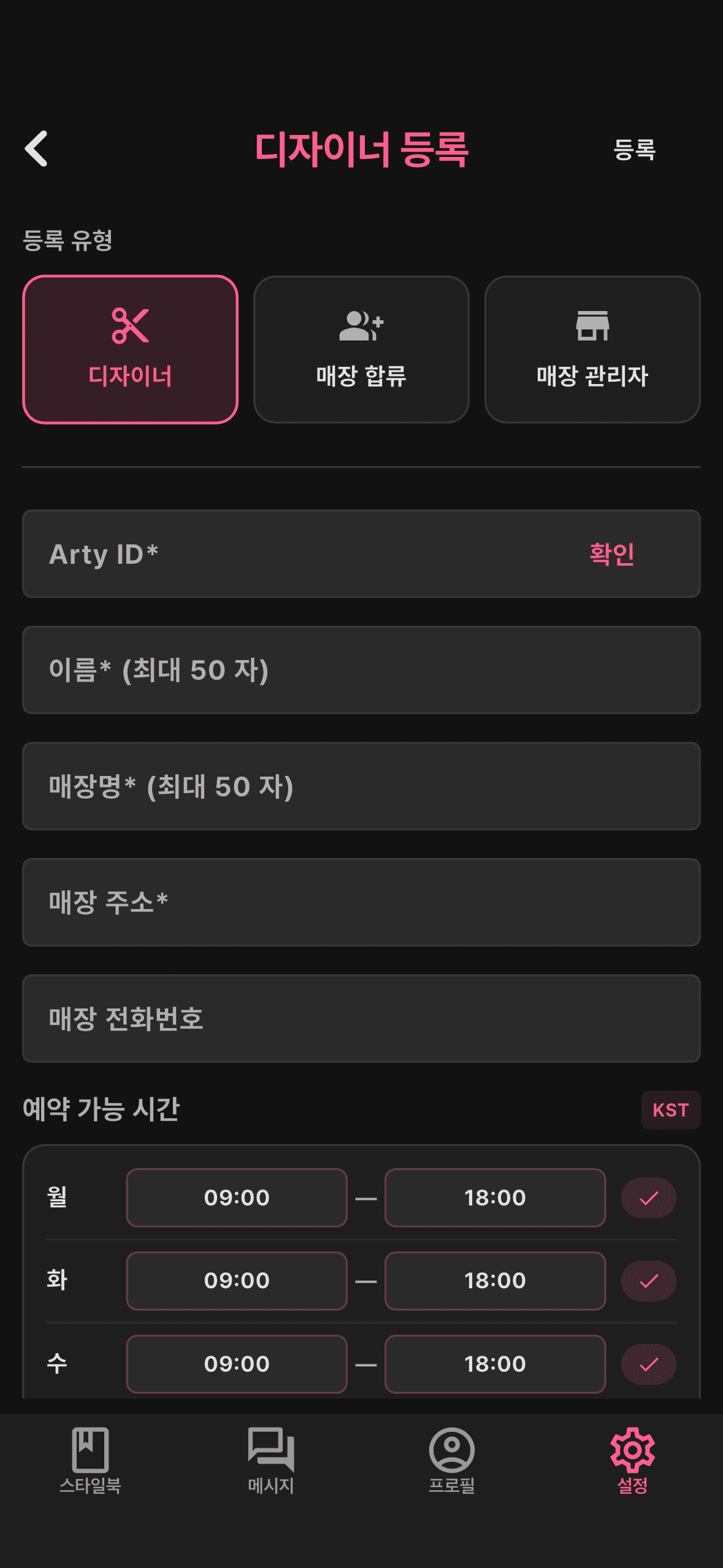
Enter your details
Add your Arty ID, name, shop name/address/phone, available time range, profile photo, and hairdresser license.
- 5STEP 5
Submit & await approval
Submit and an admin reviews it. Once approved, you can start right away.
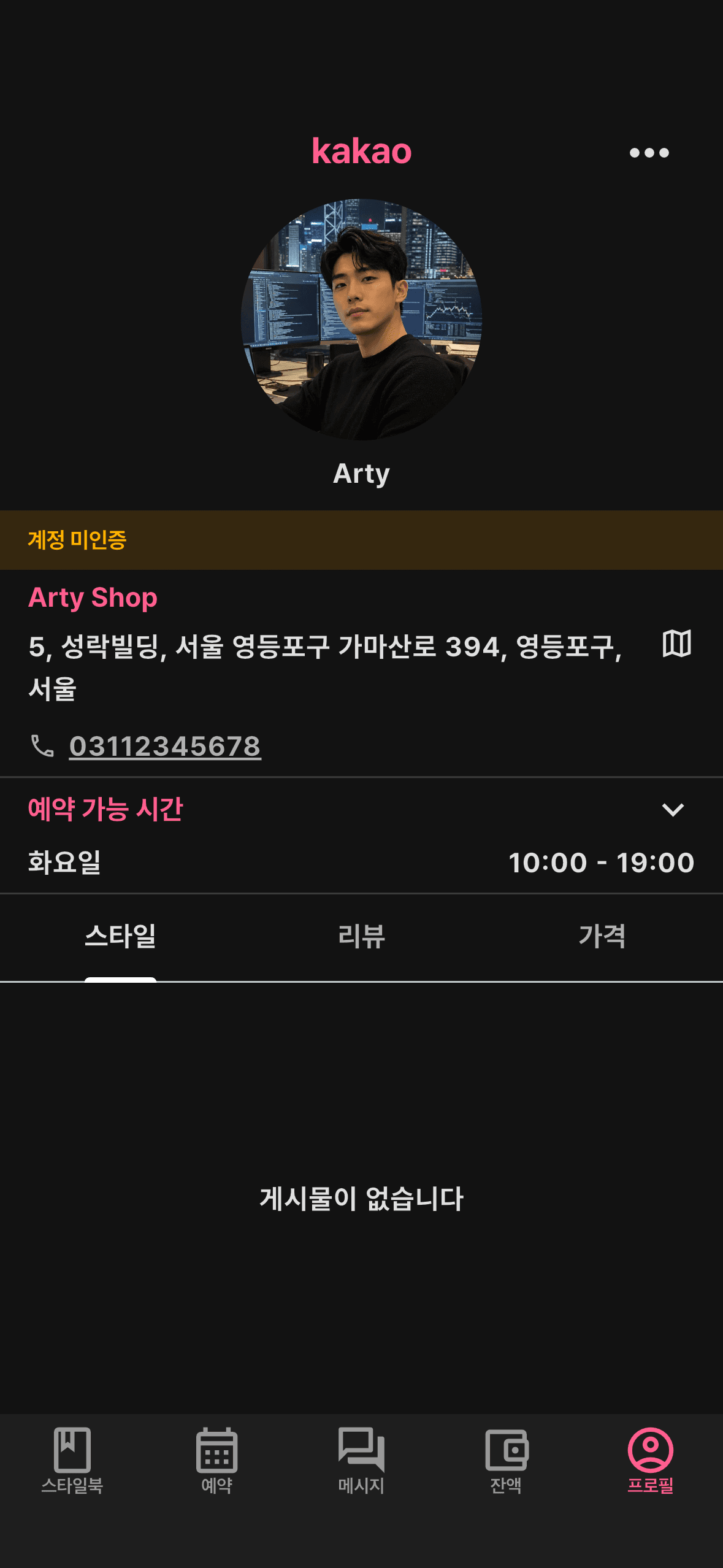
Join a shop
Join a shop registered by a shop admin as a member designer. When you apply, your style posts are hidden for the moment; once the shop admin approves, the shop address is applied automatically and your posts go live to clients again. There are two ways to join, depending on your situation.
Starting as a user
You'll needApp installed + signed in- 1STEP 1
Choose ‘Join a shop’
Go to Settings → ‘Create a designer account’ (same as steps 1–3 above), then on the ‘Designer registration’ screen choose ‘Join a shop’.
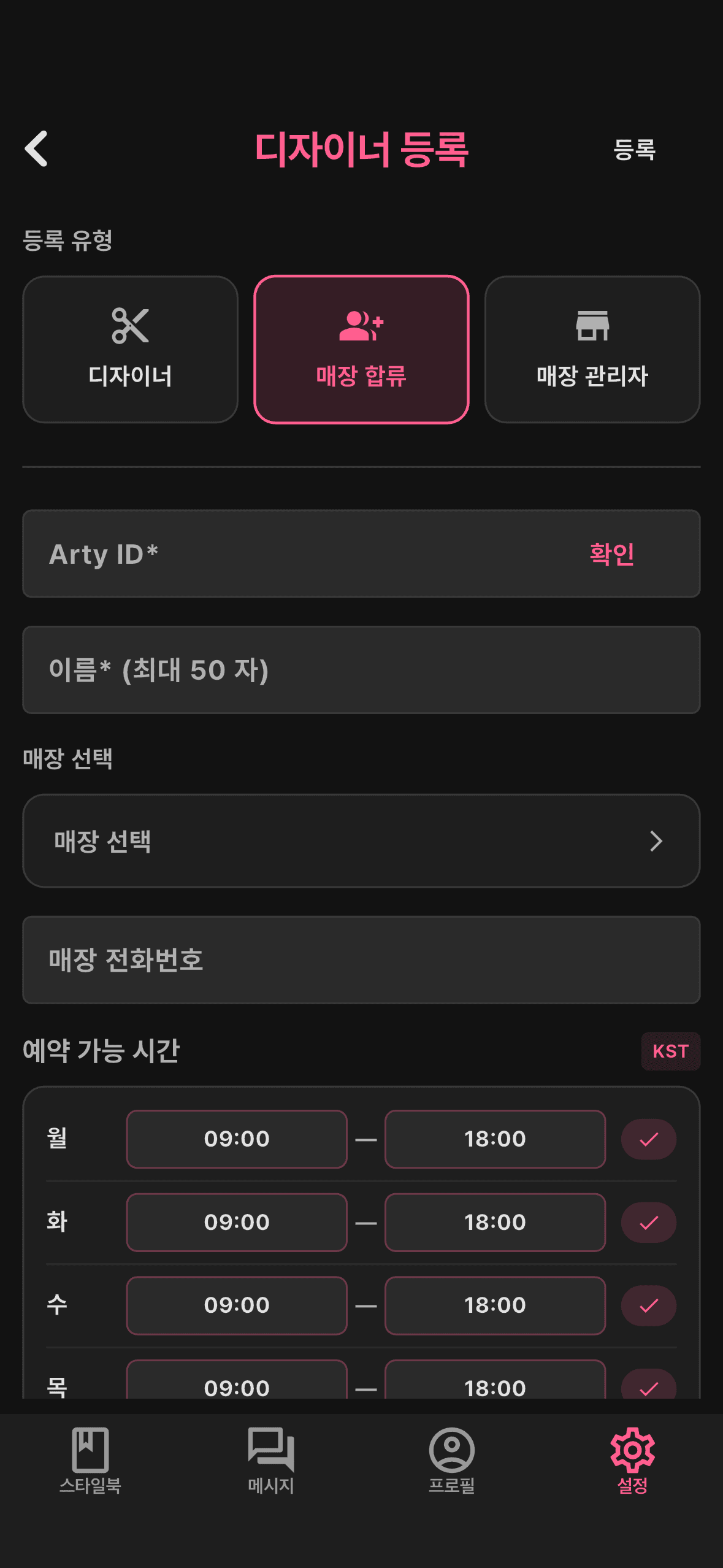
- 2STEP 2
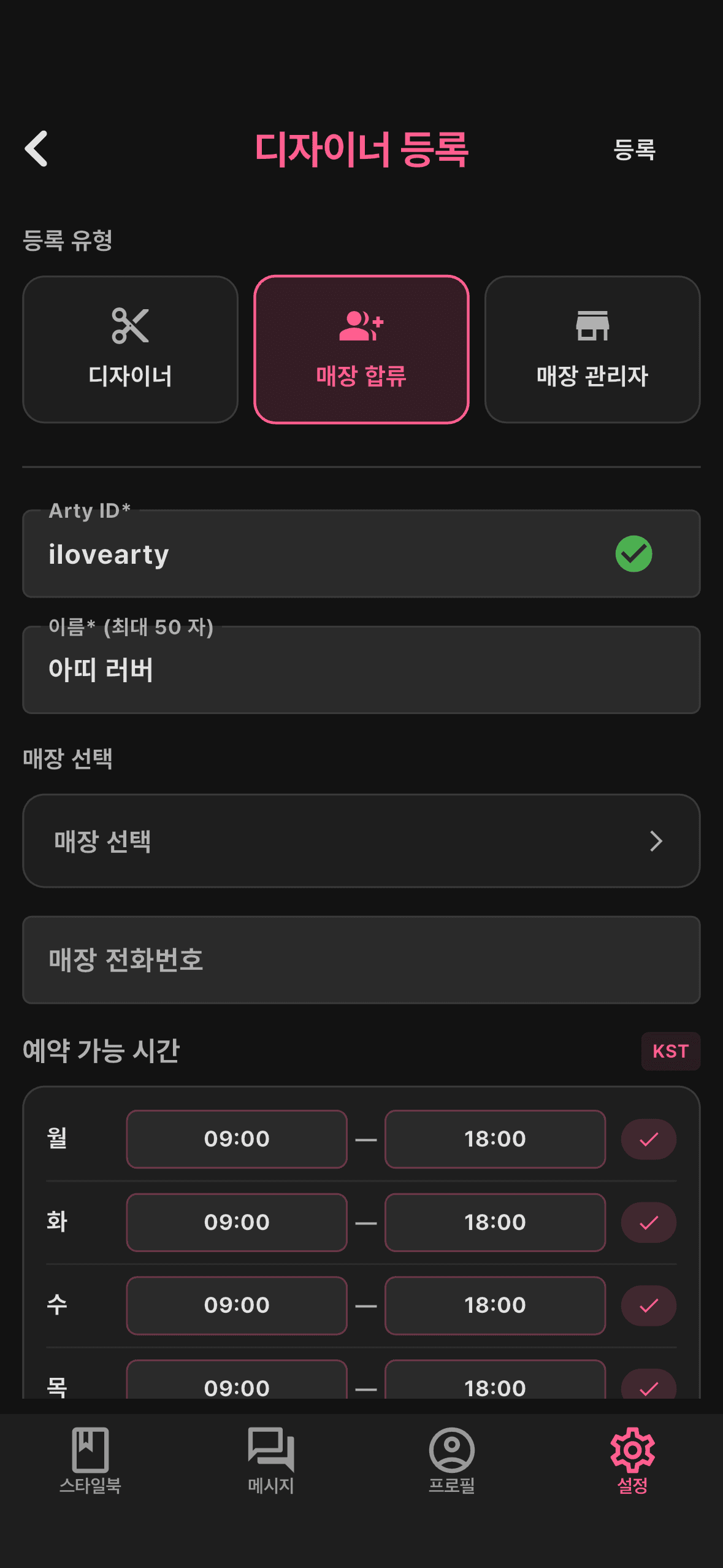
Enter your info
Fill in your details (Arty ID, name, etc.), then tap ‘Select shop’.
- 3STEP 3
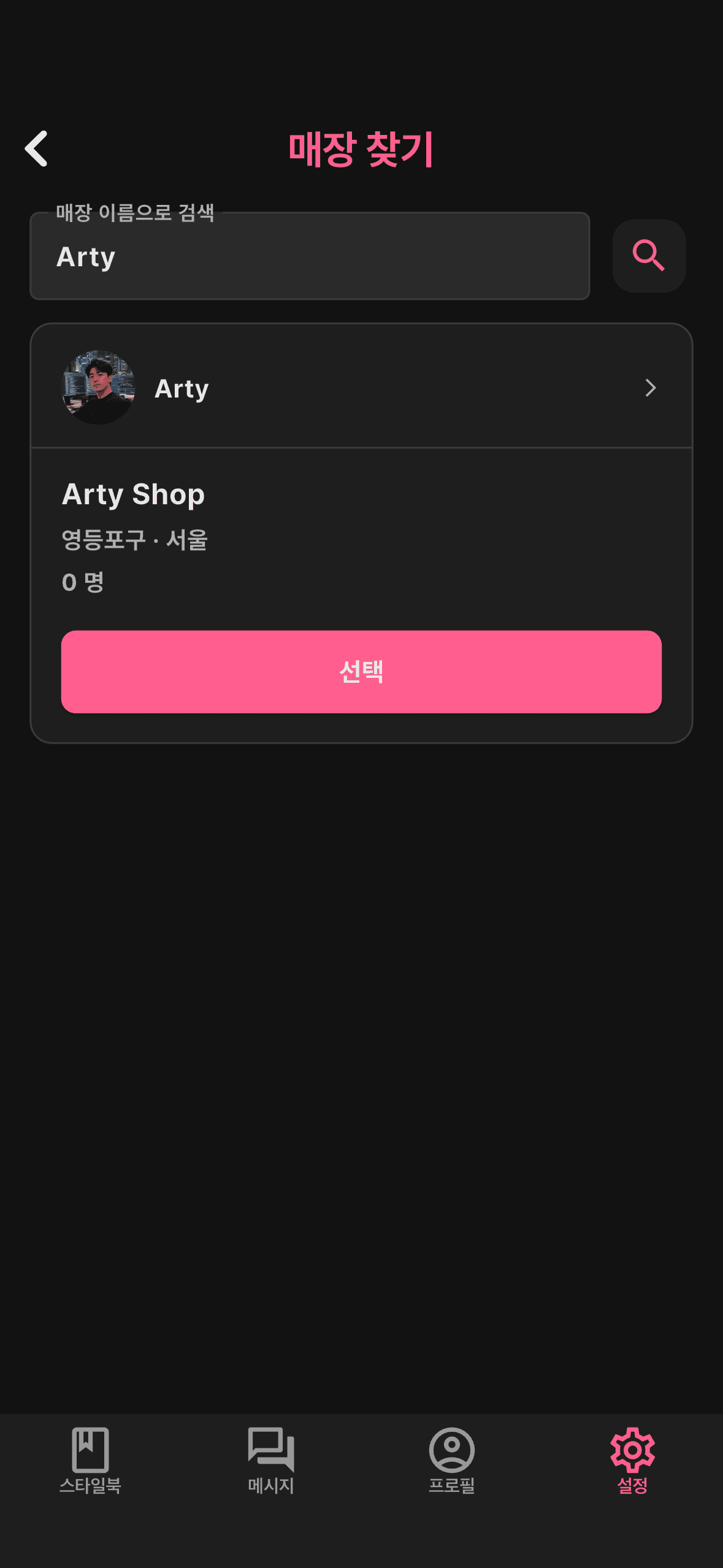
Select the shop
Search and select the shop to join. Only shops registered by a shop admin appear.
- 4STEP 4
Submit & await approval
Submitting files your join request. Once the shop admin approves, you're in — and your hidden style posts go public again.
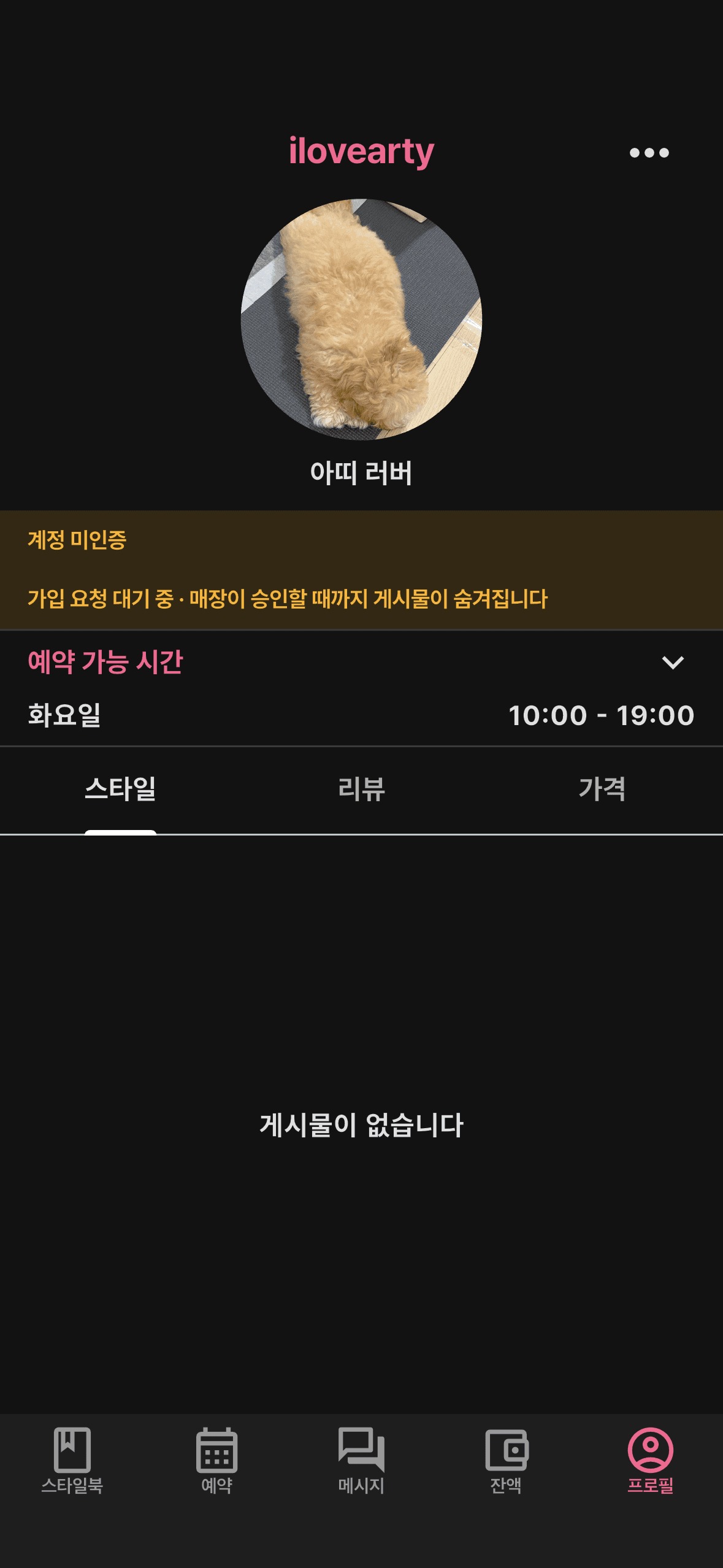
Already a designer
You'll needDesigner signup done- 1STEP 1
Open Shop from profile
Go to Profile → ‘Shop’ → ‘Find shop’.
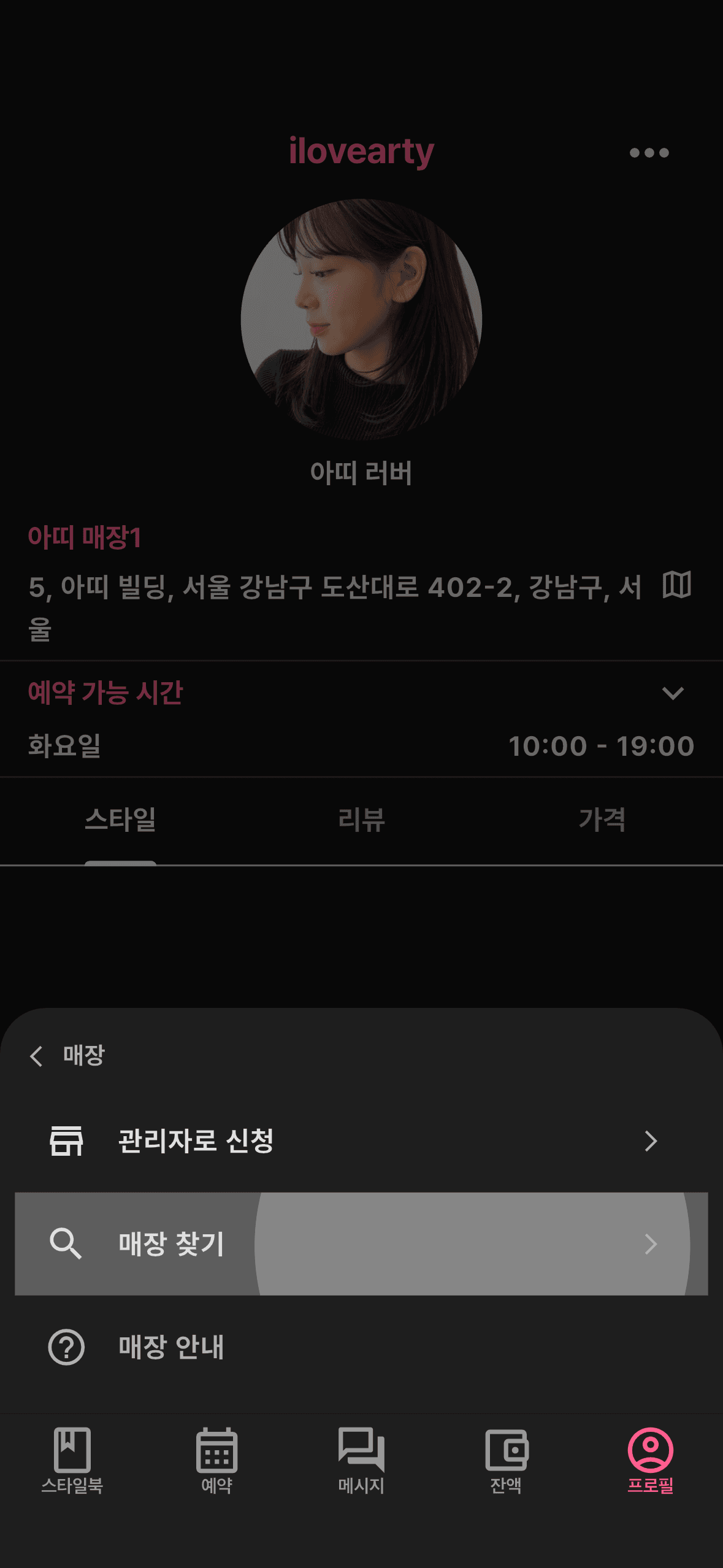
- 2STEP 2
Search for the shop
Search for the shop to join. Only shops registered by a shop admin can be found.
- 3STEP 3
Send a request
Pick the shop and tap ‘Request’ to send a join request.
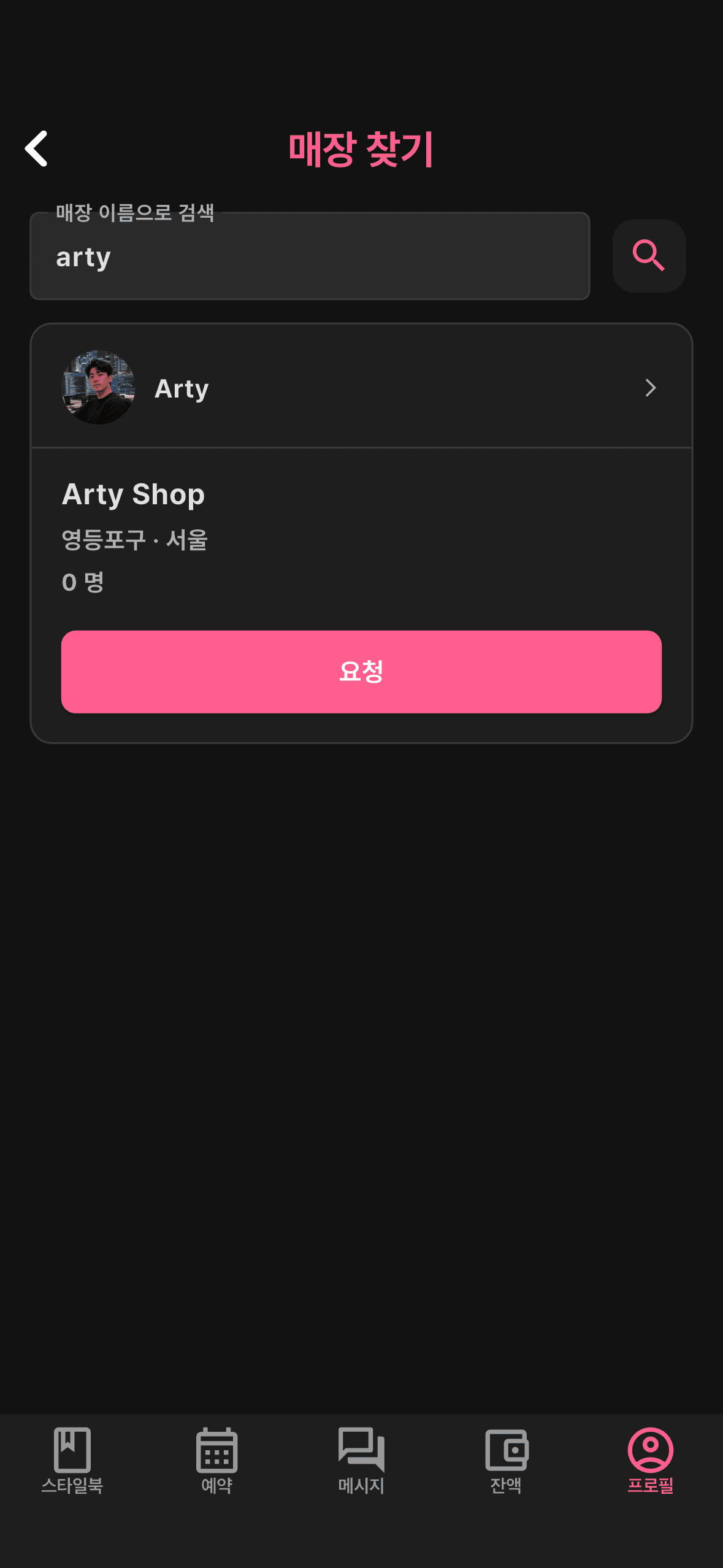
- 4STEP 4
Await approval
When the shop admin accepts, you're in! The shop address applies and your posts go public.
Register as a shop admin
Register as the admin (owner) who opens and runs a shop. The first admin becomes the shop's owner and can approve and manage other designers joining. There are two ways in, depending on where you start.
Starting as a user
You'll needApp installed + signed in + business license + bank account- 1STEP 1
Start as ‘Shop Manager’
Go to Settings → ‘Create a designer account’ (same as steps 1–3 above), then on the ‘Designer registration’ screen choose ‘Shop Manager’.
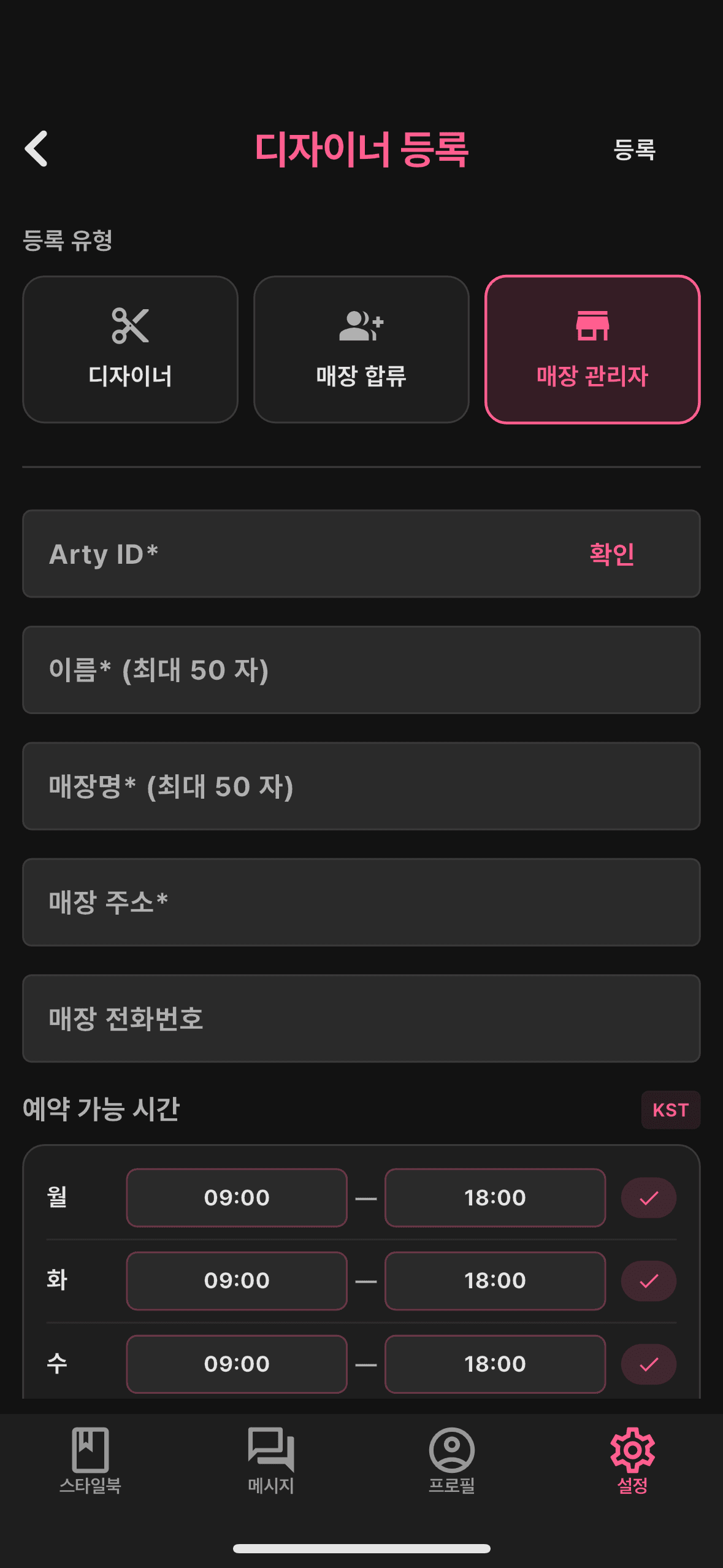
- 2STEP 2
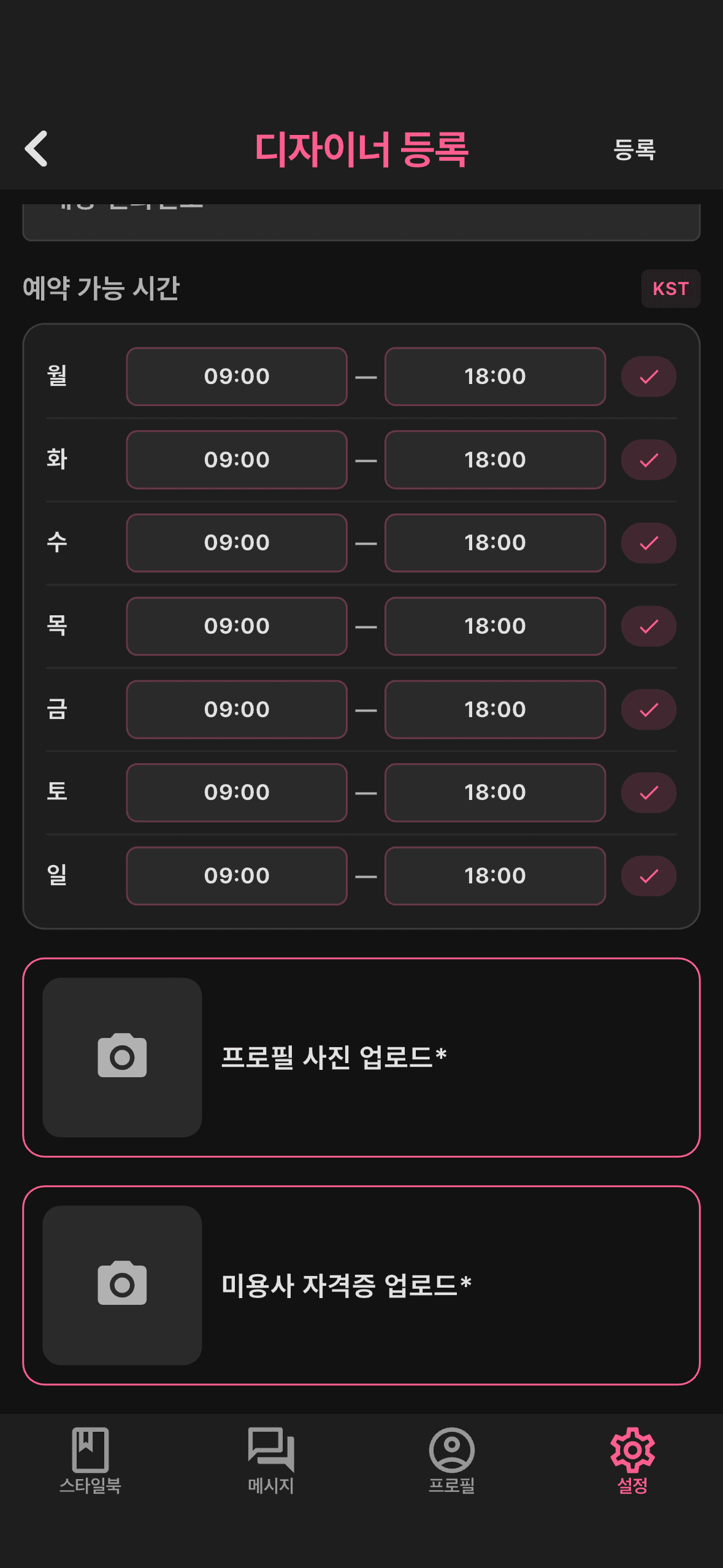
Enter designer & shop info
Add your designer details (Arty ID, name, profile photo) along with the shop name, address, and shop phone, and upload your hairdresser license.
- 3STEP 3
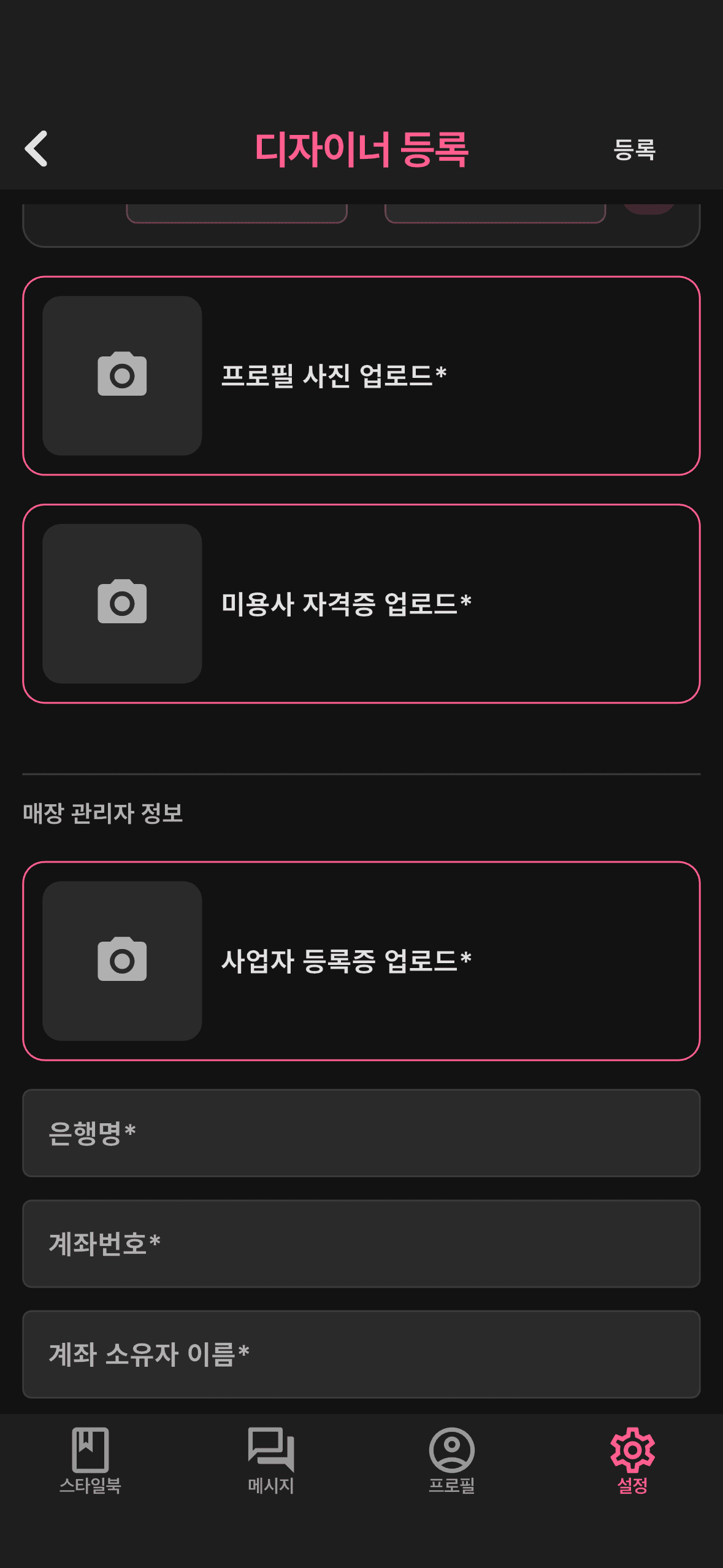
Register business license & bank
Register your business license and payout account (bank name, account number, account holder name). All required.
- 4STEP 4
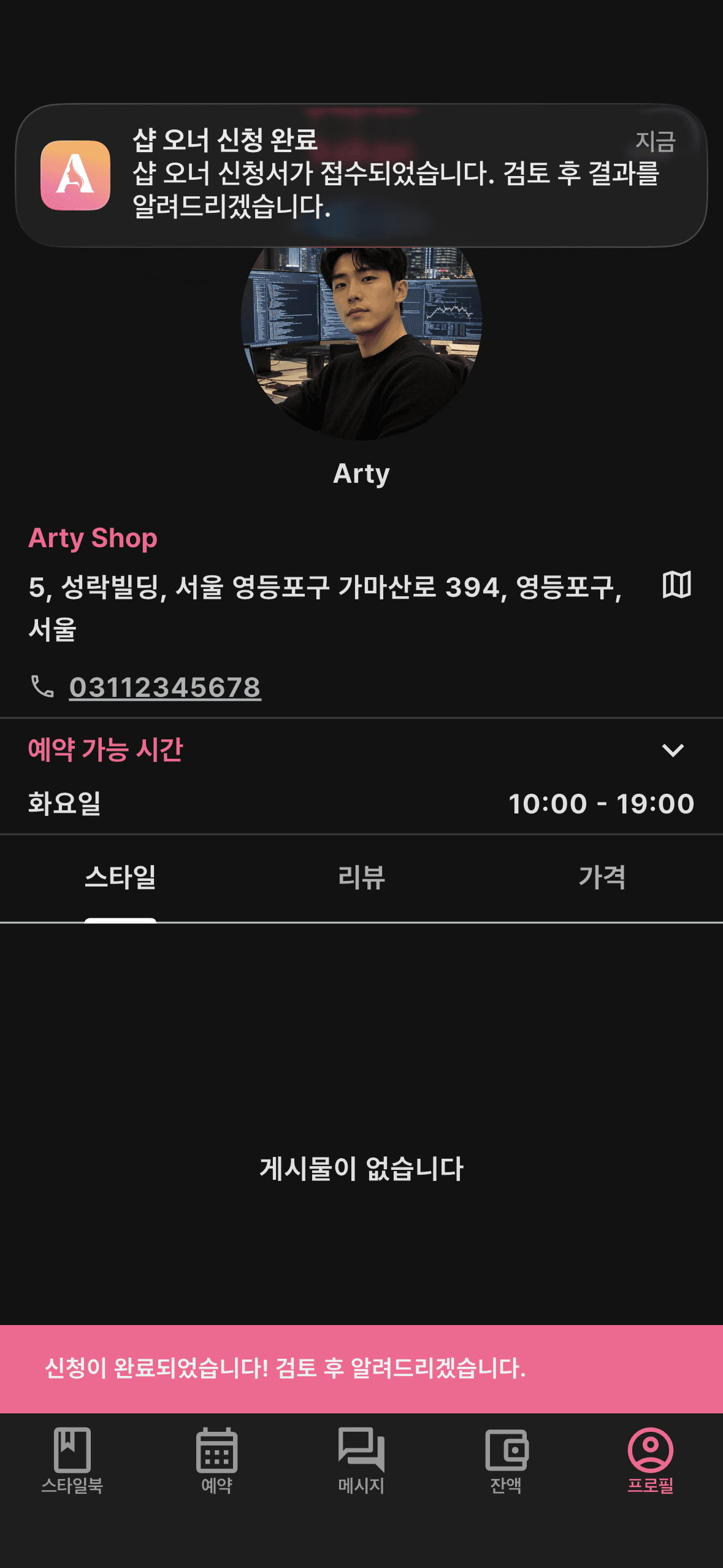
Submit & await approval
Once submitted, an admin reviews and approves it. You'll be notified when it's done.
- 5STEP 5
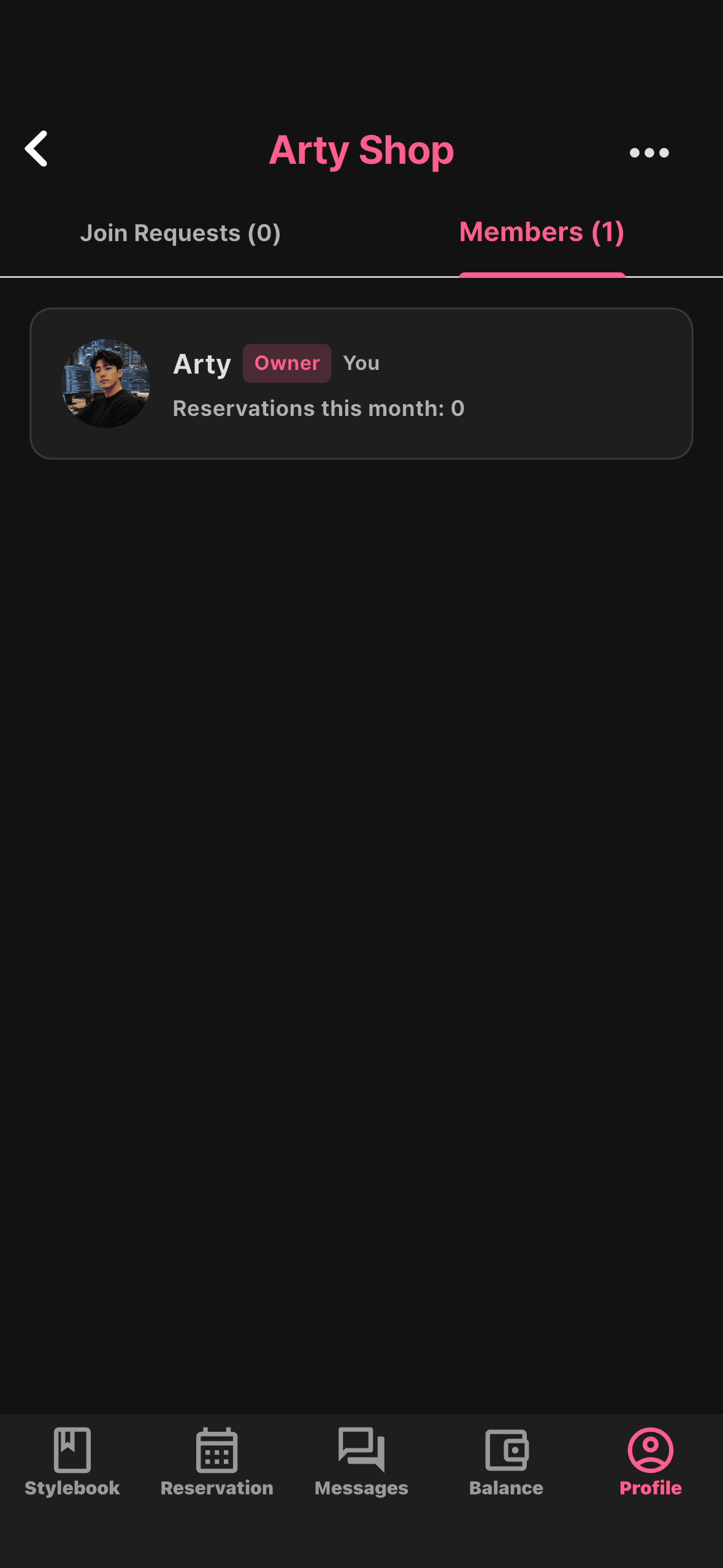
Start running the shop
Once approved, you become the owner. Go to Profile → ‘Shop’ → ‘Manage shop’ to accept or reject designer join requests and manage the shop.
Already a designer
You'll needDesigner signup done + business license + bank account- 1STEP 1
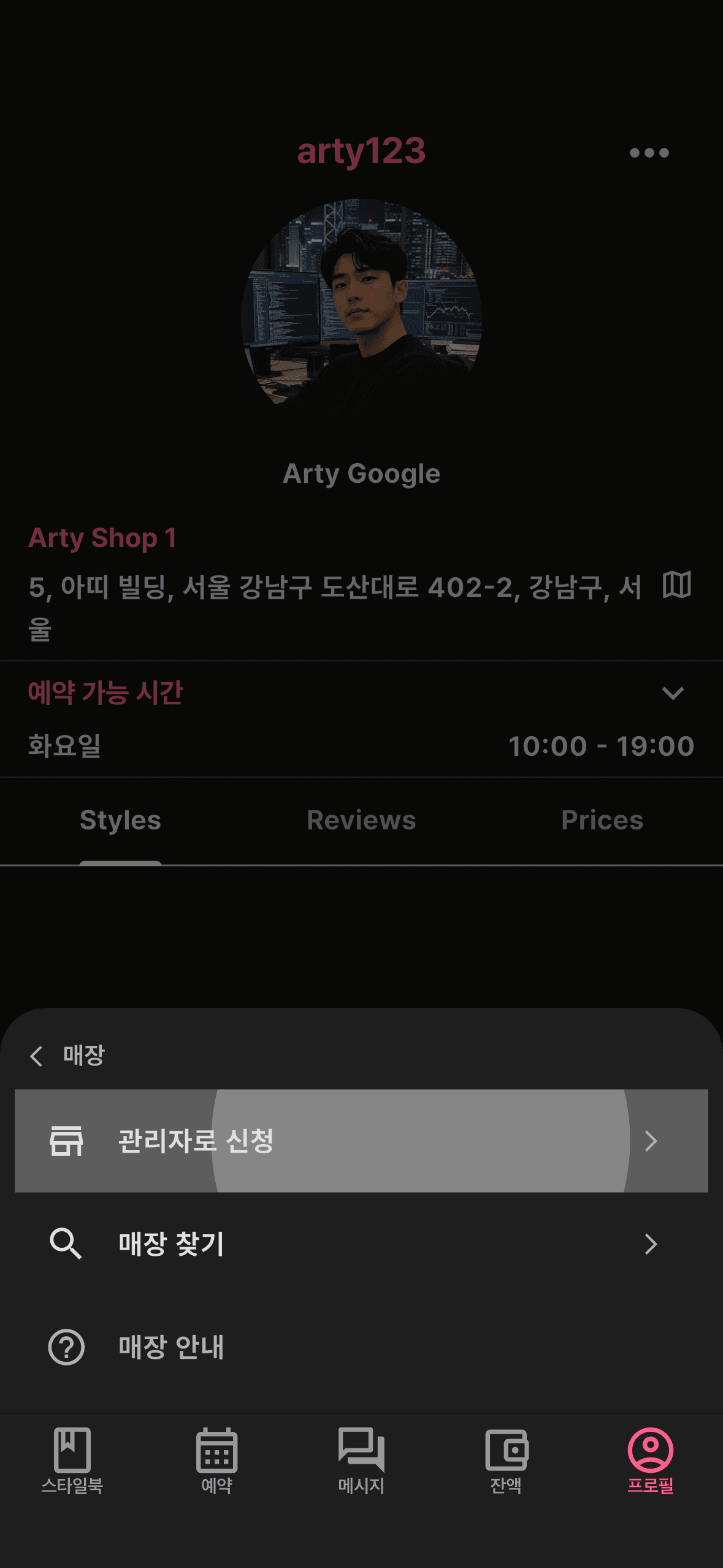
Open ‘Apply as admin’
Go to Profile → ‘Shop’ → ‘Apply as admin’.
- 2STEP 2
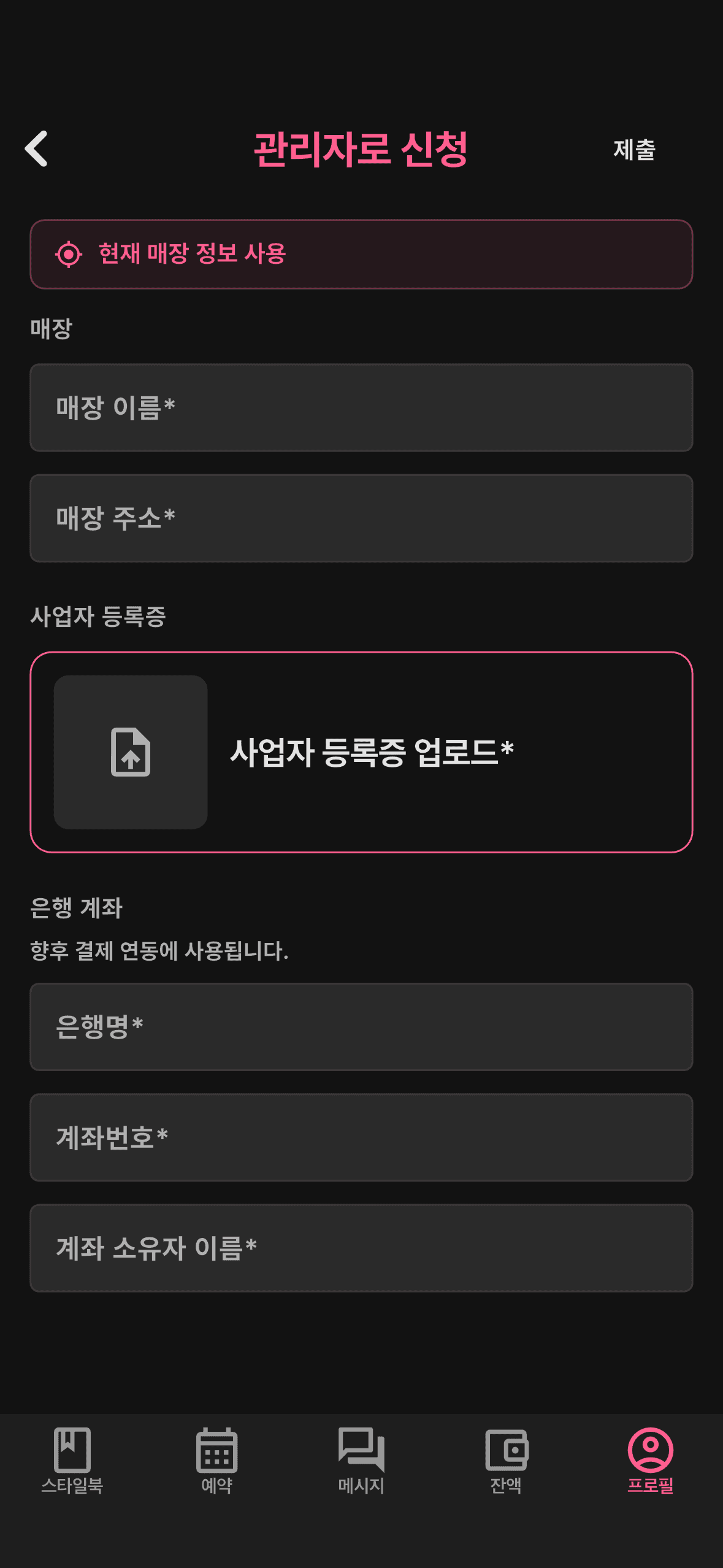
Fill in the application
Use ‘Use current shop info’ to fill the shop details, then add your business license and bank account. (Business license and bank account required.)
- 3STEP 3
Submit & await approval
Once submitted, an admin reviews and approves it. You'll be notified when it's done.
- 4STEP 4
Start running the shop
Once approved, you become the owner. Go to Profile → ‘Shop’ → ‘Manage shop’ to accept or reject designer join requests and manage the shop.